
How can we help?
Commissions setup
Rewarding staffs with a commission is getting more essential for encouraging them to work harder for better profit. In this section, you will be guided to set up the commission rate for your staffs.
From PrestaShop Back Office > RockPOS > Manage > Setup > Commissions.

- Salesman profiles: select which profiles will be displayed in the Sell page and receive the commission (By default, we have SuperAdmin, Logistician, Translator and Salesman. You can add more in the Back Office > Administration > Profiles on PrestaShop 1.6.x, or Back Office > Advanced Parameters > Team > Profiles on PrestaShop 1.7.x).
- Commission base: Which he commission amount is count on. At the moment, there’s only 1 commission base – Gross sales.
- Commission structure: decide how many percentage (%) your staffs will get once they have done their job.
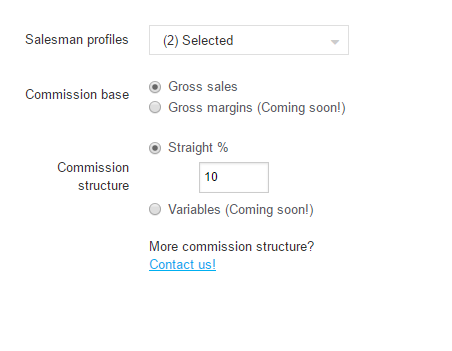
Like the image above, your employees will receive 10% based on his gross sales he got that day.
We will continue collect more ideas to develop sections left of this feature.