
Make the first order with RockPOS
Suppose that all setups are done (if not, check what else you need to do) and you’re ready to make your very first order with RockPOS. To do so, please follow 4 simple steps below:
3. Discounts & shipping (optional)
1. Add products to cart
RockPOS makes it very flexible for you to add products to cart as fast as possible by enabling 3 different methods:
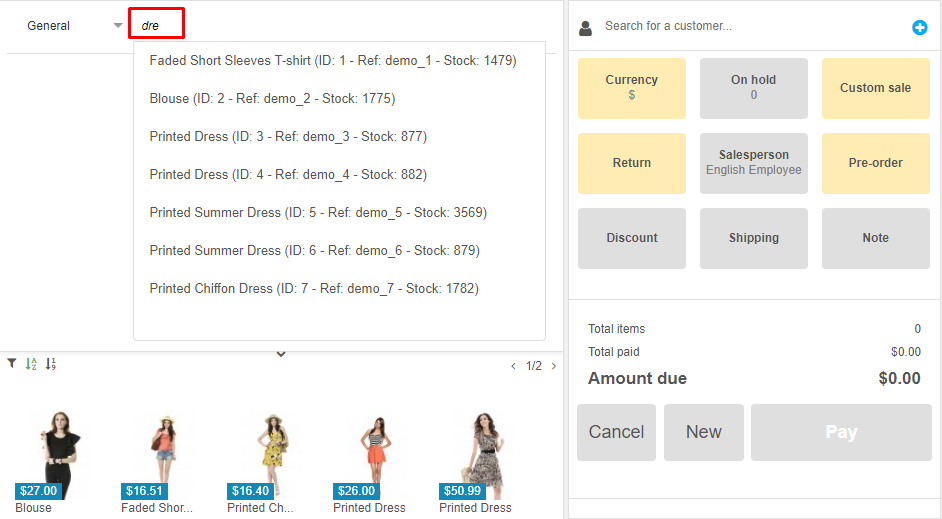
- Search: you can type keywords in the search bar to get a list of product recommendations.
- Scan barcode: if your products have barcode, this is the fastest way to add them to cart. Just simply scan barcode and product will be added to cart automatically.
- From product list: simply pick products in the pre-defined list (see the image below) or select categories to filter product you are searching for.

Add as many products to cart as you want because RockPOS can handle them all.
2. Add a customer
You can add a customer to check out or not. If you do not want add a specific customer, you will check out as a guest. Refer this post to see how to do.
In case you want to keep track of your customers’ purchasing history, it is useful to associate a customer with an order. By searching from an existing list or creating a new customer profile, you can add a customer to your cart before/after adding products.
The image below points out how to add a new customer to system.

3. Discounts & shipping (optional)
Discount
There are 2 types of discount to offer to your customer:
- Discount on products: apply discount by percentage to specific products in cart.

- Discount on order: apply discount to the whole order. You can apply to discount by percentage, amount or vouchers.

Also, there are some voucher suggestions available for the customer to be showed.
For example:

Shipping methods
You can decide whether using default shipping method or selecting another one.

4. Checkout
Orders can be checked out in 2 different ways:
- Standard: pay the entire order with one or different methods (cash, card, etc.)

- Pre-order: pay nothing or part of the order

When your payment is completed, you can select a document type to print: receipts, gift receipts or invoice.
Well done, your first order is now completed!