Set up product visibility for sale
When running 2 shops (online and physical), you may sometimes have some products available for sale in-store but not onine and vice versa. Hence, this section will guide you how to make it work.
The basis of this setting is every product created by PrestaShop will be assigned 1 “visibility status” and all we have to do is set up in RockPOS that products with which “visibility status” will be shown for sale.
In order to allow products to sell at your local store but not on online shop, follow these steps:
1. Set up in Back Office
[PrestaShop 1.6.x] From PrestaShop back office, locate to Catalog > Products > then edit (or create new) product. Scroll down until see Visibility, choose Nowhere. Then Save.

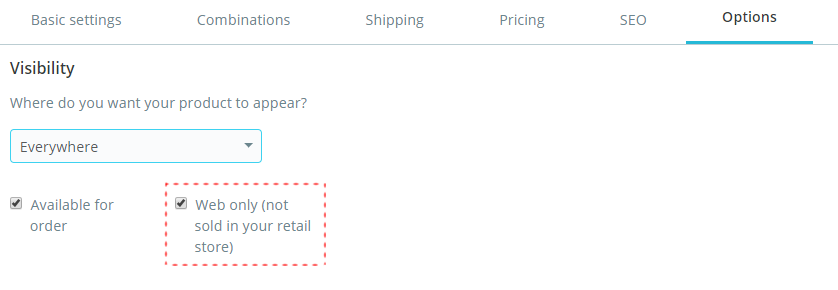
[PrestaShop 1.7.x] From PrestaShop Back Office, locate to Catalog > Products > then edit (or create new) product > Options > Visibility, choose Nowhere. Then Save.

2. Set up in Manage page of RockPOS
From Back Office > RockPOS > Manage > Products > Enable for sale: Visibility > Choose “Nowhere”

As a result, any products with status “Nowhere” won’t show up on online categories but will show in RockPOS. The same rule can be applied to any other products with any other visibility status.
**Please note that in PrestaShop 1.7.x, if you want to set product available for sales online but not at physical store, you simply tick the option “Web only”.