
Index products
Indexing product is an important step to ensure all changes in your products will appear in search field. To index product, go to RockPOS > Manage > Setup > Products then scroll down until you see index list.
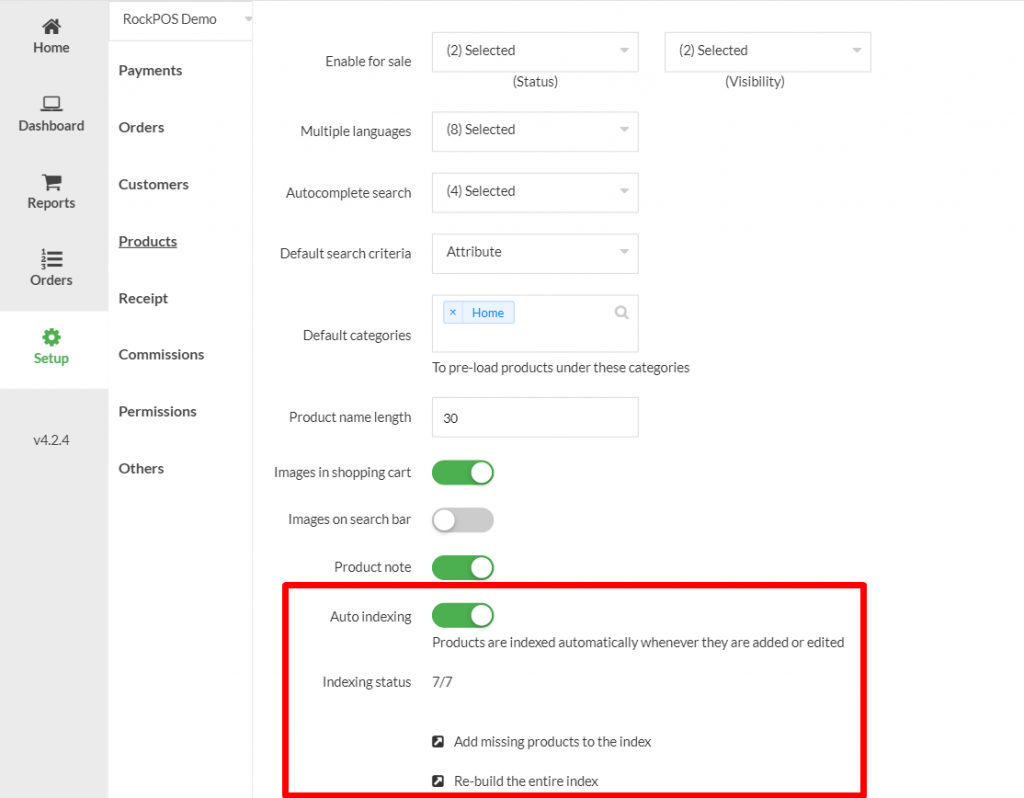
There are 2 ways to index products in RockPOS:
- Add missing products to the index: this option will index only newly added products and ignore any other changes you make on existing products. This option is recommended when you only add new products to system.
- Re-build the entire index: this option allows to run index on every single product (including existing and newly added ones). Use this option when you make changes on existing products and/or add new ones.
You need to do this after installing the module to make sure that your products are indexed completely and are able to be find.
There is another option to help you auto-index (after products are indexed one time). Whenever products are added, edited or any change; they will be auto-indexed.

This option is useful if you rarely make changes in product list. In case you have huge amount of products, you should disable it because index that will run every time, can slow down the system.
There is another set up in PrestaShop that will also affect searching for product in RockPOS (as well as on your online shop): search “Weight”. By defining value (weight) for each search field, you can control “the importance and relevance for the ranking of the products when completing a new search”. For more information, check this article from PrestaShop.
In order to setup search “weight”, navigate to Back Office > Preferences > Search and scroll down until you see “Weight”.
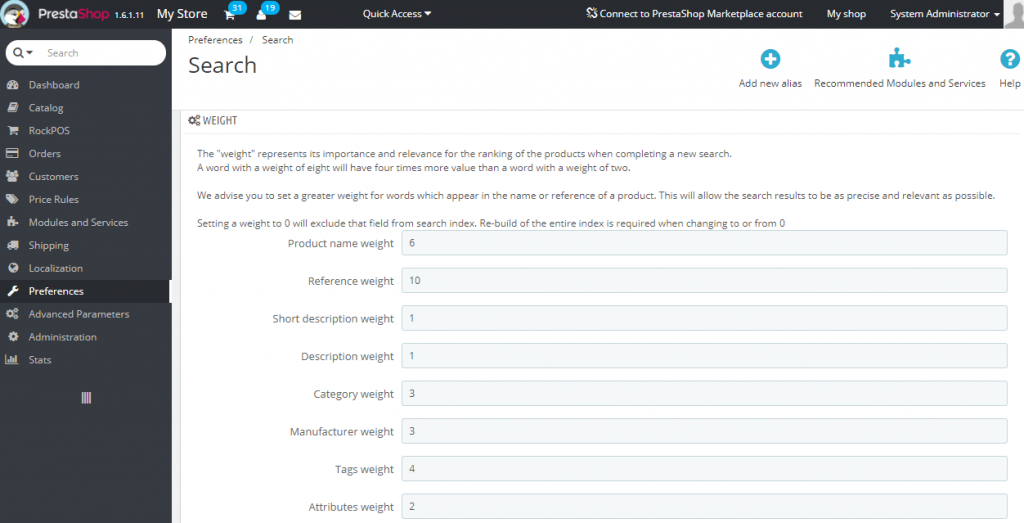
**Please note: if you don’t want to exclude any search fields from searching bar, make sure there’s no “0” value on any fields; otherwise you won’t be able to find product by that field in RockPOS (and on your online shop).